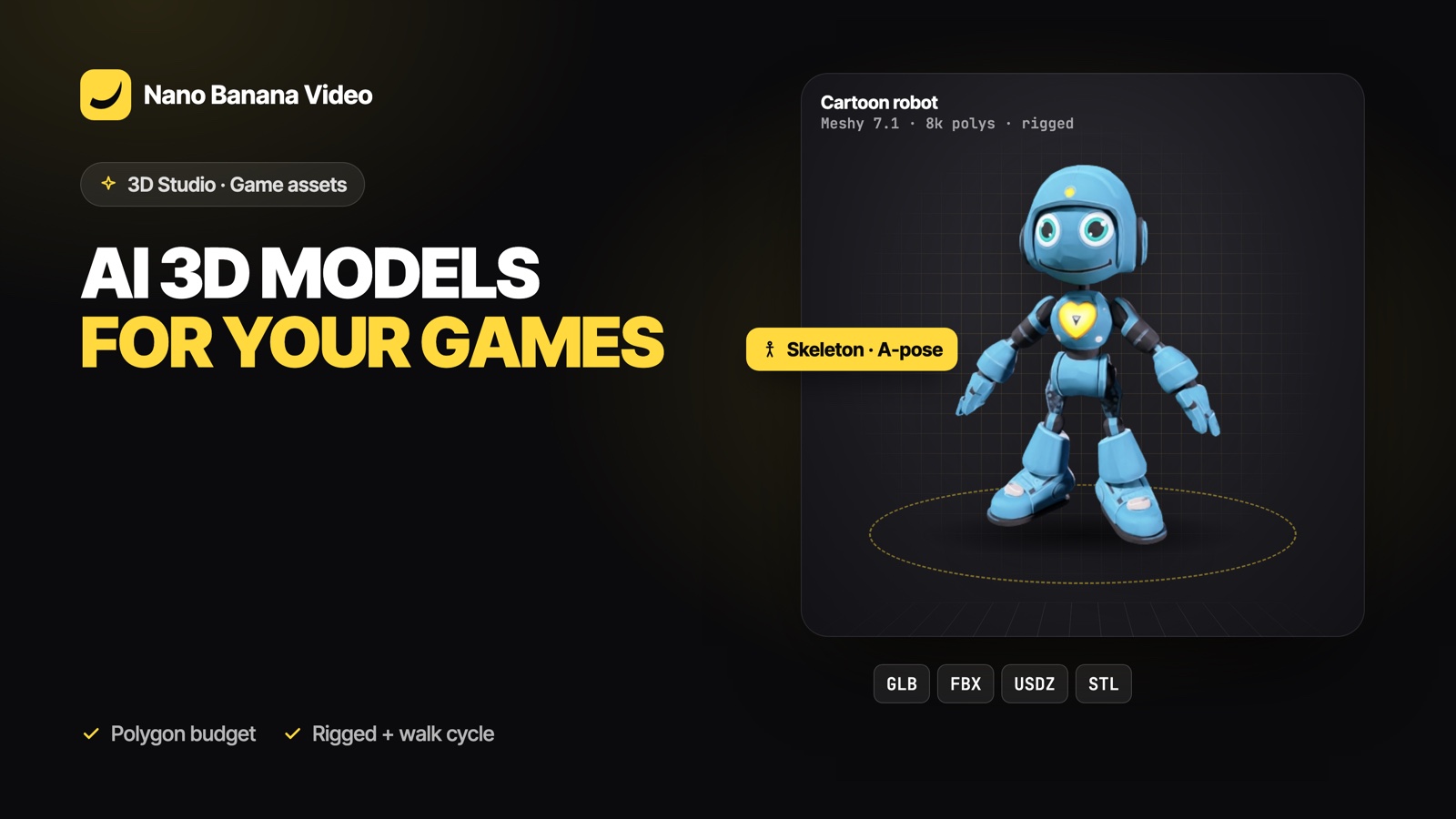
Short answer: for game assets, generate with a polygon budget in mind. In Nano Banana 3D Studio, Meshy 7.1 lets you target about 8,000, 30,000 or 100,000 polygons, switch to a low-poly style or quad topology, and rig characters with a walk cycle. Hunyuan 3D 3.1 gives denser, more detailed meshes for hero props and cinematics. Import GLB in Godot, Blender and Unity, or FBX in Unreal and Unity.
Pick the right model for the asset
| Asset | Model | Why |
|---|---|---|
| Characters to animate | Meshy 7.1 with Rig | Skeleton in A-pose plus an animated walk cycle |
| Mobile and indie props | Meshy 7.1, low detail or low-poly | Around 8,000 polygons, stylized look |
| Hero props, close-ups | Hunyuan 3D 3.1 Pro | Highest detail, up to 500,000 faces at high |
| Lots of quick variations | Hunyuan 3D 3.1 Rapid | 15 credits, 3 to 5 minutes |
Polygon budgets
Each detail level maps to a target:
| Detail | Meshy 7.1 (polygons) | Hunyuan 3D 3.1 Pro (faces) |
|---|---|---|
| Low | 8,000 | 60,000 |
| Medium | 30,000 | 200,000 |
| High | 100,000 | 500,000 |
For mobile games, stay low and reuse materials. For PC and console, medium is a good default for props. Dense Hunyuan meshes can be decimated in Blender (Decimate modifier) or with your engine’s LOD tools.
Topology and materials
- Quad topology (Meshy): four-sided polygons that are easier to edit, subdivide and unwrap than triangles.
- PBR materials: color, roughness and metalness maps that react correctly to your engine’s lighting.
- Geometry only: an untextured mesh if your team paints its own textures or uses a shared material library.
Rigged characters
With Rig on, Meshy 7.1 returns the character in an A-pose with a skeleton, plus an animated GLB with a walk cycle. In Unity or Unreal, import the rigged file and retarget your own animations (Mixamo-style humanoid rigs, Unity Humanoid, Unreal IK Retargeter). The walk cycle carries root motion: keep it if your controller uses it, or remove the root bone’s horizontal travel for in-place animation.
Which file for which engine
| Engine | Best file | Notes |
|---|---|---|
| Godot 4 | GLB | Native glTF import with materials and animations |
| Blender | GLB | File, Import, glTF 2.0; then export to any format |
| Unity | FBX (Meshy) or GLB | GLB needs a glTF importer package such as glTFast |
| Unreal Engine 5 | FBX (Meshy) or GLB | UE5 imports glTF/GLB natively; FBX for rigged characters |
| Web (three.js, Babylon.js) | GLB | Load with GLTFLoader or model-viewer |
A quick pipeline
- Draft five variations with Hunyuan 3D 3.1 Rapid.
- Pick the best shape, regenerate it with Meshy 7.1 at your polygon budget (or Pro for a hero prop).
- Check scale and pivot in Blender, add LODs if needed.
- Import into the engine and assign your shared materials.
Building the whole game with AI? The AI game generator writes a playable three.js game from a prompt or a gameplay video.
3D Studio is part of every paid Nano Banana plan, from €19.99/mo with 1,000 credits: a model uses 15 credits with Hunyuan 3D 3.1 Rapid, 30 with Hunyuan 3D 3.1 Pro and 50 with Meshy 7.1, charged only when it is ready. Create your account and make your first model.
Frequently asked questions
Are AI-generated 3D models game-ready?
They can be. Meshy 7.1 lets you target 8k, 30k or 100k polygons, use a low-poly style or quad topology, and rig characters. Hunyuan 3D meshes are denser and may need decimation for real-time use.
Can AI rig a 3D character?
Yes. With Rig on, Meshy 7.1 returns a skeleton in an A-pose and an animated walk cycle that you can retarget in Unity, Unreal or Blender.
Which format should I use in Unity?
FBX from Meshy 7.1, or GLB with a glTF importer package such as glTFast.
Does Unreal Engine import GLB?
Yes, Unreal Engine 5 imports glTF and GLB natively. FBX remains the usual choice for rigged characters.
How many 3D models can I generate?
Up to 30 every 24 hours, three at the same time, within the credits of your plan.