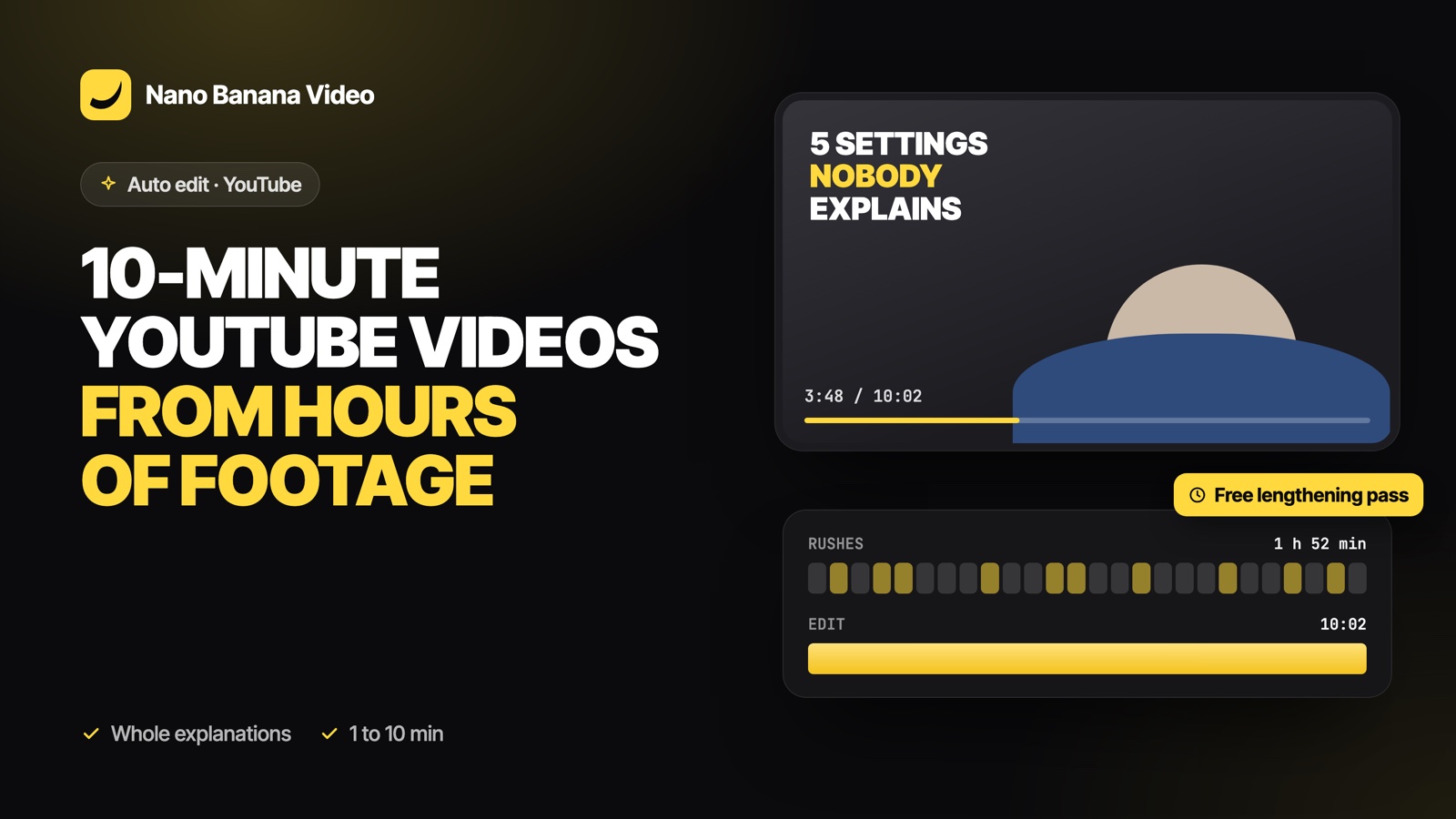
Short answer: choose the YouTube format (16:9) in Nano Banana Auto edit, set a target of 1, 3, 5 or 10 minutes and drop all your rushes. The AI keeps whole explanations, examples and stories instead of only highlights, places the best take of each part in order, and leaves natural pauses between sentences. If the first pass comes out short, a free second pass adds the best unused passages until the length is reached.
Why long-form is harder for AI
Cutting a 60-second short is mostly about choosing the best moments. A 10-minute video is the opposite problem: the editor has to keep a lot, in a logical order, without repeating itself and without padding. Two common failures of automatic tools:
- Too short. The AI keeps only highlights and you ask for 10 minutes but get 3.
- Broken logic. Steps of a tutorial in the wrong order, or a story cut before its point.
How Auto edit handles long videos
A length budget, not a guess
Before editing, the AI is told how much usable speech your rushes contain and how much it must keep. Because pauses and fillers inside kept phrases are removed afterwards (about 15 % shorter), it aims above the target, so the final video lands between 90 and 110 % of what you asked.
Whole passages
For long targets, the instruction is explicit: keep complete explanations, examples and stories, not only highlights. Retakes, false starts and repetitions are still removed: the length comes from content, never from padding.
A free lengthening pass
If the first edit ends below 85 % of the target, Auto edit runs a second pass at no extra cost. Claude receives the current edit and the unused passages, and inserts the ones that complete or develop what is already there, each where it fits the story.
Honest limits
If your rushes only contain 4 minutes of usable speech, you will not get a good 10-minute video. Auto edit keeps every usable sentence and tells you how much material there was, rather than stuffing the video with rejected takes.
YouTube pacing
| YouTube format | TikTok format | |
|---|---|---|
| Frame | 16:9, 1920 × 1080 | 9:16, 1080 × 1920 |
| Pauses | A little more breathing room between sentences | Tight |
| Captions | Near the bottom of the frame | Large, lower middle |
| Targets | 1, 3, 5, 10 min | 15 to 90 s |
Good fits for long-form auto edit
- Tutorials: mistakes and restarts removed, every step kept in order.
- Vlogs: a day of clips ordered into a story, with silent shots as b-roll.
- Reviews: the intro, each point, and the verdict, from several sessions of filming.
- Podcasts and interviews: a long recording condensed to its best passages.
Workflow tips
- Drop every rush of the video at once, including b-roll: the AI needs the whole picture to build the order.
- Use the note to give the structure if you have one: “intro, the 5 settings in order, then my verdict”.
- After the edit, watch it at 1.5× once to check the logic, then fix the few cuts you would do differently.
- Need a Short from the same footage? Run Auto edit again with the TikTok format on the same rushes; they are already in your Media / Assets folder.
Auto edit is part of every paid Nano Banana plan, from €19.99/mo with 1,000 credits; an edit uses 10 credits and is only charged when it is delivered. Create your account and drop your first folder of rushes.
Frequently asked questions
Can AI edit a 10-minute YouTube video?
Yes. Nano Banana Auto edit supports YouTube targets of 1, 3, 5 and 10 minutes in 16:9 and keeps whole explanations and stories for long targets, aiming for 90 to 110 % of the requested length.
Why did an AI editor give me a much shorter video than I asked?
Most tools keep only highlights. Auto edit uses a length budget based on the usable speech in your rushes, and runs a free second pass to add unused passages if the first edit is too short.
What if I do not have enough footage?
Auto edit keeps every usable sentence and tells you how long the video can be, instead of padding it with retakes or false starts.
How many rushes can I use?
Up to 60 rushes per edit, in MP4, MOV, M4V, WebM or MKV, including 4K files.
Can I make a Short from the same footage?
Yes. Run Auto edit again on the same rushes with the TikTok format and a 15 to 90-second target.