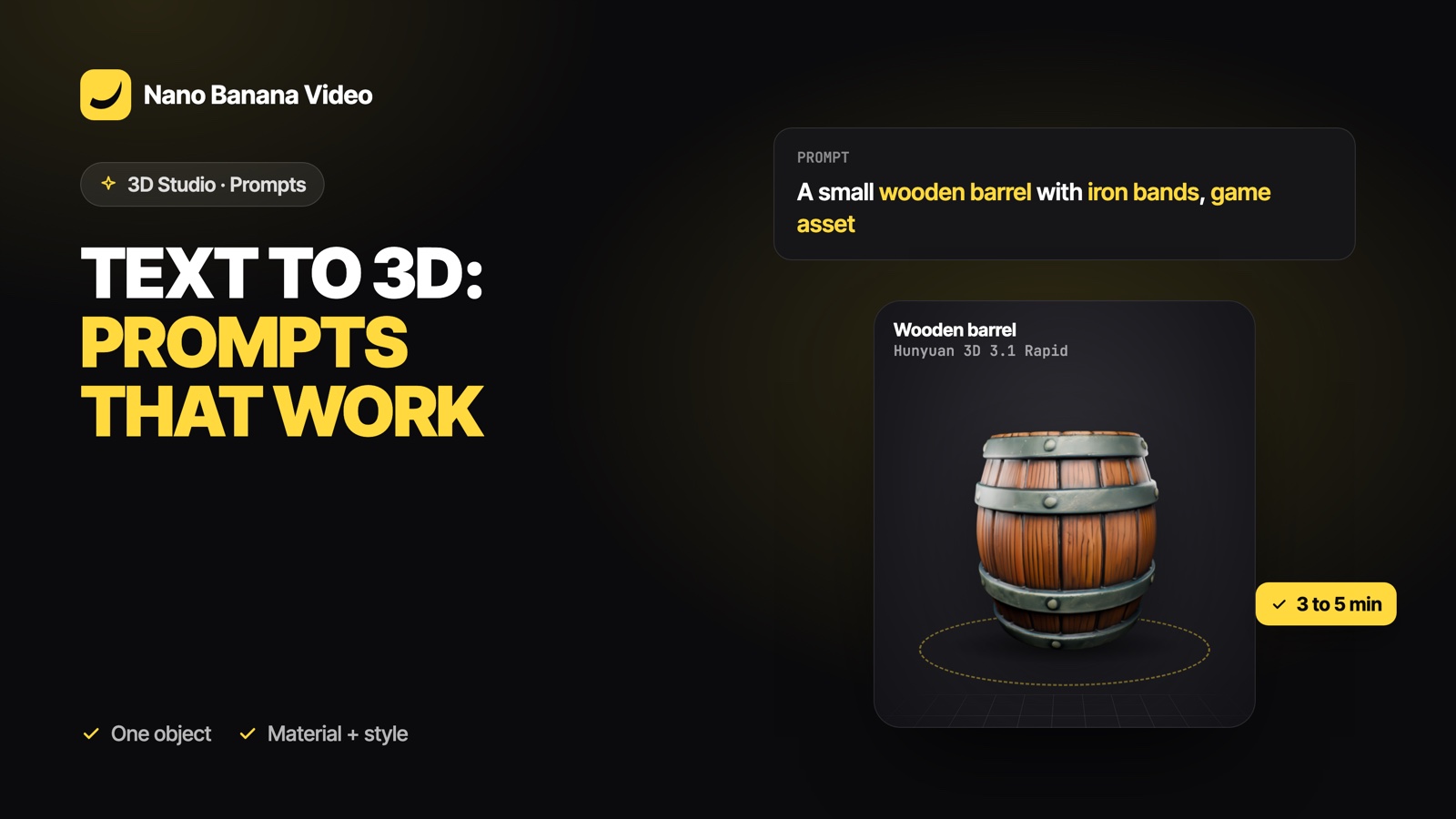
Short answer: a good text-to-3D prompt describes one object: what it is, what it is made of, its style, and what it is for. “A small wooden barrel with iron bands, game asset” works; “a pirate tavern at sunset with barrels and a parrot” does not, because a 3D model is an object, not a scene. In Nano Banana 3D Studio the same prompt works with Hunyuan 3D 3.1 Pro, Hunyuan 3D 3.1 Rapid and Meshy 7.1.
Image prompts vs 3D prompts
| Image prompt | 3D prompt | |
|---|---|---|
| Subject | A scene, several subjects | One object or one character |
| Camera and light | Lens, angle, lighting, mood | Not needed: you light and frame the model later |
| What matters | Composition | Shape, material, proportions, style |
| Background | Part of the picture | None: leave it out |
The four parts of a good prompt
- The object: “a treasure chest”, “a sci-fi helmet”, “a fox character”.
- Material and details: “wooden with gold trim”, “brushed metal with a glowing visor”.
- Style: “stylized”, “realistic”, “low-poly”, “cartoon”, “hand-painted”.
- Use: “game asset”, “product model”, “figurine”. It nudges the model towards clean, usable shapes.
For characters, add “full body” and the pose you want, for example “standing in an A-pose” if you plan to rig it.
Prompt examples
| Goal | Prompt | Model |
|---|---|---|
| Game prop | A stylized treasure chest with gold trim, game asset | Hunyuan 3D 3.1 Pro or Rapid |
| Environment piece | A small wooden barrel with iron bands, game asset | Hunyuan 3D 3.1 Rapid |
| Character to animate | A friendly cartoon robot character, full body, A-pose | Meshy 7.1 with Rig |
| Product | A ceramic coffee mug with a matte yellow glaze and a banana logo | Hunyuan 3D 3.1 Pro |
| Low-poly asset | A low-poly pine tree, stylized, mobile game | Meshy 7.1, low-poly on |
| Figurine to print | A sitting cat figurine, smooth, solid base | Meshy 7.1, export STL |
What to avoid
- Several objects (“a desk with a lamp and books”): generate them one by one and assemble them in Blender.
- Camera words (“close-up”, “wide shot”, “bokeh”): they do nothing for a 3D model.
- Very thin or floating parts (chains, hair strands, smoke): they often break; model them simply or add them later.
- Text on the object: lettering is unreliable on textures; add a decal or texture afterwards.
Iterate cheaply
Try a prompt with Hunyuan 3D 3.1 Rapid first (15 credits, 3 to 5 minutes), keep the wording that gives the right shape, then run the final version with Pro or Meshy. If the shape is right but the texture is not, turn on geometry only and paint it yourself.
3D Studio is part of every paid Nano Banana plan, from €19.99/mo with 1,000 credits: a model uses 15 credits with Hunyuan 3D 3.1 Rapid, 30 with Hunyuan 3D 3.1 Pro and 50 with Meshy 7.1, charged only when it is ready. Create your account and make your first model.
Frequently asked questions
What is text to 3D?
Text to 3D is generating a 3D model, a textured mesh, from a written description. You describe one object, its material and style, and the model builds it so you can rotate and download it.
How long should a text-to-3D prompt be?
One sentence is usually enough: the object, its material and details, its style and its use, for example "a stylized treasure chest with gold trim, game asset".
Can I generate a whole scene in 3D?
Not in one model. Generate each object separately and assemble the scene in Blender, Unity or Unreal.
Which model is best for text to 3D?
Hunyuan 3D 3.1 Pro gives the most detail, Rapid the fastest drafts, and Meshy 7.1 the cleanest game assets, with low-poly, quad topology and rigging options.
Do I need to mention the background or lighting?
No. A 3D model has no background, and you light it in the viewer or in your 3D tool.