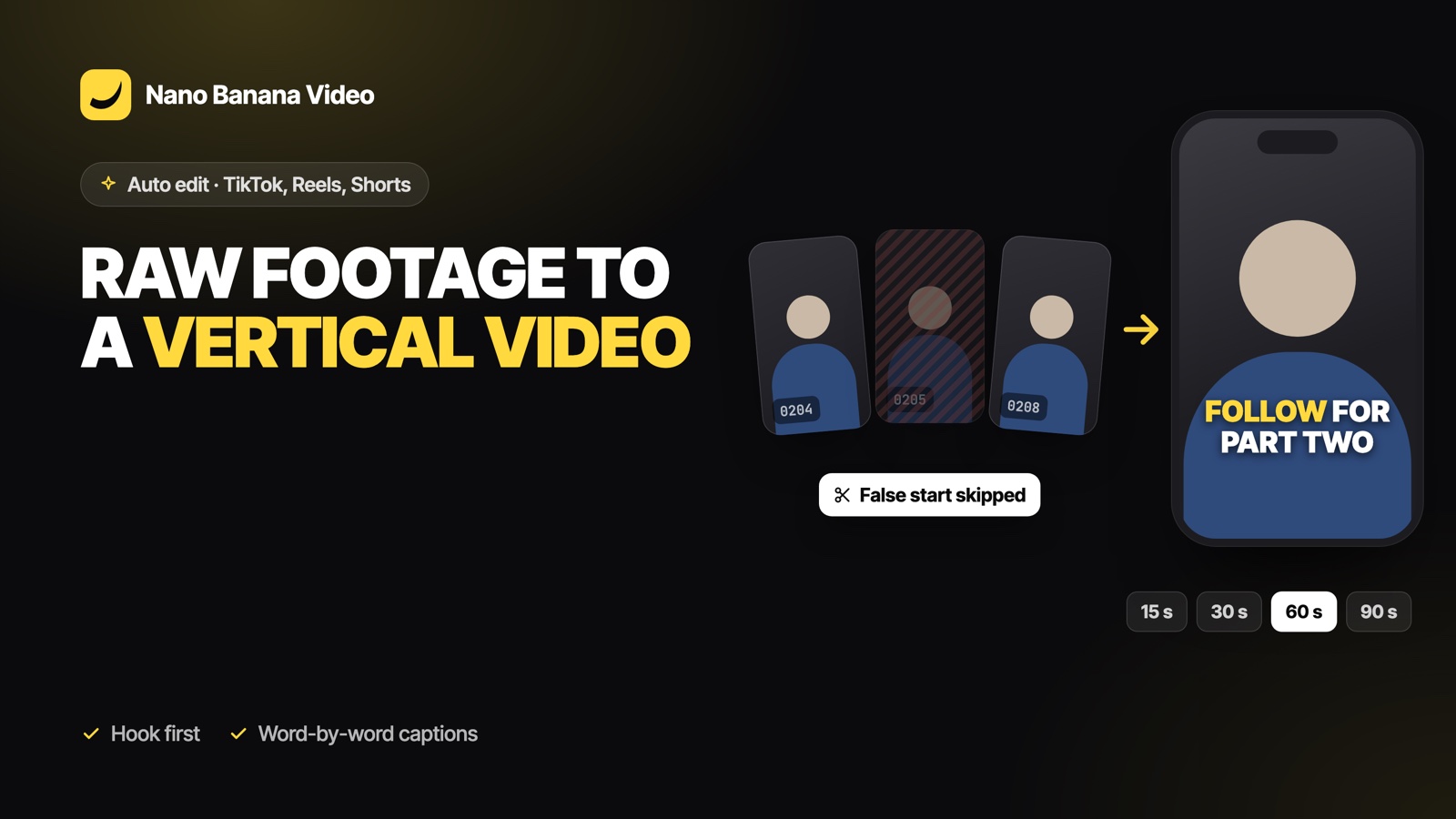
Short answer: drop your phone clips into Nano Banana Auto edit, choose TikTok (9:16) and a length of 15, 30, 60 or 90 seconds, and press Edit. The AI opens on your strongest line, keeps only the best takes, cuts tight, and adds word-by-word captions, light zooms and a few sound effects. The same vertical export works for TikTok, Instagram Reels and YouTube Shorts.
What makes a short-form edit different
- The first two seconds decide everything. The hook has to come first, even if you filmed it last.
- No dead air. Pauses that feel natural on YouTube feel slow on TikTok.
- Sound off by default. Many people watch muted, so captions carry the message.
- Movement. A static talking head needs a little motion: punch-ins, b-roll, cuts on the beat of the sentence.
The TikTok format in Auto edit is tuned for exactly this: a tighter pause threshold and shorter margins around words than the YouTube format.
Step by step
1. Film more than you need
Say your hook three or four different ways. Film a few silent close-ups of what you talk about. Do not worry about mistakes: they will be cut.
2. Drop the folder
In Video Studio, open Auto edit and drop the clips (up to 60). Your phone’s 4K files work: only the parts used are re-encoded in 1080p.
3. Pick TikTok and a length
| Length | Good for |
|---|---|
| 15 s | One idea, one punchline, a teaser |
| 30 s | A tip with one example, a product demo |
| 60 s | Three tips, a mini tutorial, a UGC ad with an offer |
| 90 s | A short story or a step-by-step explanation |
4. Brief the editor in one line
Use the note: “start with the price shock”, “end on follow for part two”, “keep the blooper at the end”. Claude follows it like a human editor would.
5. Edit, check, export
Press Edit and watch the timeline build. Then check the first three seconds, adjust a caption if needed, and export the 1080 × 1920 MP4.
Captions that work muted
Captions are placed word by word from the transcript, in the language you speak, with key words highlighted. They sit large in the lower middle of the vertical frame. Since every caption is a text layer, you can fix a word or change the style before export.
Zooms, b-roll and sound effects, used with restraint
- Zooms: a punch-in on a strong line, a slow push-in on a longer explanation. Not on every cut.
- B-roll: your silent shots are laid over the talking parts they illustrate.
- Sound effects: a few whooshes, pops and hits on cuts and key words, mixed under your voice so none of them jumps out.
Each one can be turned off before the edit, or deleted from the timeline after.
One edit, three platforms
TikTok, Reels and Shorts all use 9:16 video, so the same export works everywhere. If you also want a horizontal version for YouTube, run Auto edit again on the same rushes with the YouTube format: the pacing and the caption position change, not just the frame. For one finished video you only want to reframe, use the video resizer.
Auto edit is part of every paid Nano Banana plan, from €19.99/mo with 1,000 credits; an edit uses 10 credits and is only charged when it is delivered. Create your account and drop your first folder of rushes.
Frequently asked questions
How do I turn raw clips into a TikTok automatically?
Drop the clips into Nano Banana Auto edit, choose the TikTok format and a length (15, 30, 60 or 90 seconds), and press Edit. The AI orders the takes, cuts the dead air and adds captions, zooms and sound effects.
Does the same video work for Reels and Shorts?
Yes. The TikTok format exports a 1080 x 1920 vertical MP4, which is the format used by TikTok, Instagram Reels and YouTube Shorts.
Will the AI find my hook?
It builds a story with a hook first. If you know which line should open the video, write it in the note before the edit and Claude will follow it.
Can I turn off sound effects or zooms?
Yes. Captions, zooms, b-roll, sound effects and music are separate options before the edit, and every effect can be deleted from the timeline afterwards.
Does Nano Banana post to TikTok for me?
No. It edits and exports the MP4; you publish it.