Short answer: GPT Image 2.6 is OpenAI's new image model, released on November 4, 2026 and shown in ChatGPT as "ChatGPT Images 2.6". It comes in two API versions, gpt-image-2.6-flare (fast) and gpt-image-2.6-sunburst (high quality), and adds animated GIFs, reusable reference images, SVG export and up to 50% faster generation. You can use GPT Image 2.6 Sunburst today in the Nano Banana Video Image Studio, then animate the result into a real video.
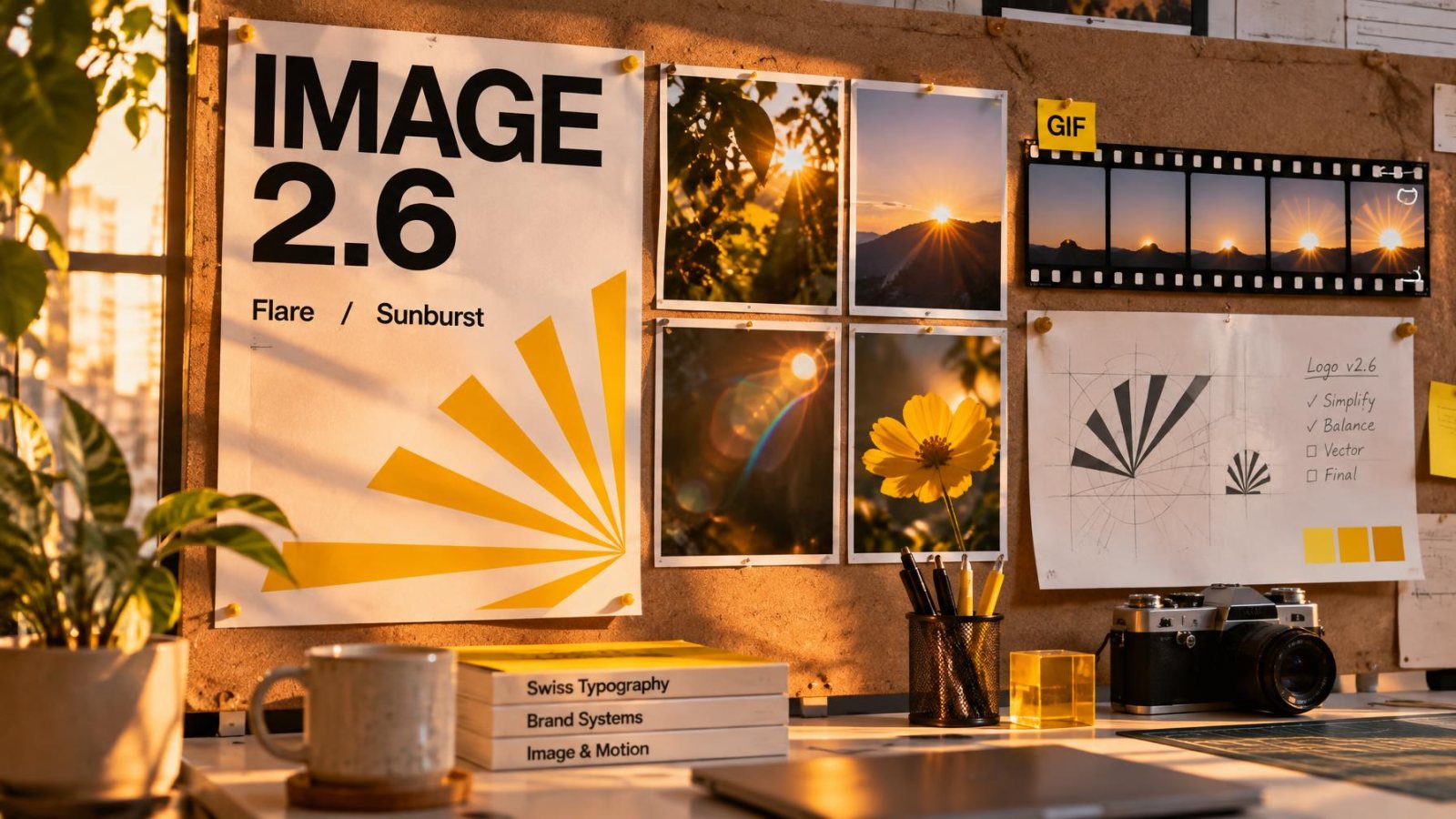
The cover image of this article was generated with GPT Image 2.6 Sunburst in about 30 seconds, including the readable text on the poster.
GPT Image 2.6 at a glance
| GPT Image 2.6 | |
|---|---|
| Developer | OpenAI |
| Release date | November 4, 2026 |
| Name in ChatGPT | ChatGPT Images 2.6 (web, desktop, mobile and Codex) |
| API models | gpt-image-2.6-flare, gpt-image-2.6-sunburst |
| Previous version | GPT Image 2.5 (September 8, 2026) |
| Inputs / output | Text and images in, image out (PNG, JPEG, WebP, GIF, SVG on Sunburst) |
| API price | $5 / 1M text input tokens, $8 / 1M image input, $30 / 1M image output |
What is new in GPT Image 2.6
1. Reusable reference images
This is the change most creators will feel. You can give GPT Image 2.6 reference images of a character, a mascot or a product and reuse them from one image to the next. The face, the logo and the packaging stay the same, which used to be the hardest part of building a campaign or a story with AI images.
2. Animated GIFs
GPT Image 2.6 can return short animated loops, up to 16 frames, made directly by the image model. They work well for stickers, reactions and small UI animations. They are not video: no camera motion, no sound, a few frames per second. For a real clip, see the image to video section below.
3. SVG export (Sunburst)
The Sunburst version can export vector files. Logos, icons and flat illustrations come out as SVG that you can scale and edit in Figma or Illustrator, instead of a pixel image you have to redraw.
4. Faster, with two speeds
OpenAI says image generation is up to 50% faster overall, without detailing the workloads behind that number. Flare can return an image in about six seconds. In our own tests in the studio, Sunburst at medium quality took between 19 and 28 seconds per image.
Flare vs Sunburst: which one should you use?
| Flare | Sunburst | |
|---|---|---|
| Made for | Speed, drafts, high volume | Detail, consistent edits, final images |
| Typical speed | About 6 seconds | About 20 to 30 seconds |
| SVG export | No | Yes |
| Price per token | Same | Same |
Rule of thumb: use Flare to test ten ideas, then Sunburst for the one you will publish. If the image will be animated, always use Sunburst: motion makes every small flaw (a melted letter, a drifting logo) more visible.
How much does GPT Image 2.6 cost?
On the OpenAI API, both versions share the same token prices: $5 per million text input tokens ($1.25 cached), $8 per million image input tokens ($2 cached) and $30 per million image output tokens. The price per token did not change from 2.5, but analyses published after launch report that a low-quality image now uses about four times more tokens than with GPT Image 2.5. If you generate cheap drafts in volume, check your bill after the switch.
In Nano Banana Video, GPT Image 2.6 is included in paid plans, from €19.99/mo, together with Nano Banana 2.1 and the video models.
GPT Image 2 vs 2.5 vs 2.6
| GPT Image 2 | GPT Image 2.5 | GPT Image 2.6 | |
|---|---|---|---|
| Released | Before September 2026 | September 8, 2026 | November 4, 2026 |
| API versions | One | Flare, Sunburst | Flare, Sunburst |
| Animated GIFs | No | No | Yes |
| Reusable references | No | No | Yes |
| SVG export | No | No | Yes (Sunburst) |
| In Nano Banana Video | Replaced by 2.6 | No (we skipped it) | Yes (Sunburst) |
How to use GPT Image 2.6 in Nano Banana Video
- Open the Image Studio from your dashboard.
- Choose GPT Image 2.6 in the model list.
- Pick a ratio (1:1, 9:16, 16:9, 4:5 and more) and, if you want, drop up to 16 reference images: your product, your logo, your character.
- Describe the image. Put any text you want in the image between quotes, for example a label reading "SUNBURST".
- Generate. The image is saved in your Asset Library.
Turn GPT Image 2.6 images into video
GPT Image 2.6 stops at the image, or a GIF. In Nano Banana Video you can send the same image straight to a video model: Seedance 2.5 for cinematic motion, MiniMax H3 for realistic people, or FLUX 3 Max for clips up to 20 seconds with native audio. Add a camera move ("slow orbit", "push in"), choose 9:16, 1:1 or 16:9, and export an MP4 up to 1080p. It is the fastest way to turn a poster into a teaser or a packshot into a product ad.
FAQ
Is GPT Image 2.6 free?
In ChatGPT, Images 2.6 rolled out to all users on web, desktop and mobile. On the API it is paid per token. In Nano Banana Video it is included in paid plans.
Can GPT Image 2.6 make videos?
No, only short animated GIFs. To make a real video from a GPT Image 2.6 image, use an image to video model such as Seedance 2.5 or MiniMax H3.
What is the model ID of GPT Image 2.6?
gpt-image-2.6-flare for the fast version and gpt-image-2.6-sunburst for the quality version.
Is GPT Image 2.6 better than Nano Banana 2.1?
For text, posters and packaging, usually yes. For natural photos and fast mask edits, Nano Banana 2.1 often wins. Read our GPT Image 2.6 vs Nano Banana 2.1 comparison.
Sources: OpenAI API pricing, OpenAI GPT-Image-2.6 Flare model page, Wikipedia: GPT Image. Timings measured in the Nano Banana Video studio on November 5, 2026.